Custom Vocabulary for Transcription: How to Stop Misheard Names and Jargon
How to build a custom vocabulary list so transcription gets guest names, places and jargon right, and how to fix what is left everywhere at once.
In this article
Your guest spent twenty years becoming Dr. Hannah Whitaker. Your transcript introduced her as “Dr. Hannah Whit Acre”, twice, and then once as “Hannah Whittaker” for variety. Misheard names are the most common complaint about automatic transcripts, and the most avoidable. The fix is a list you write before you press Transcribe.
Custom vocabulary for transcription is a list of names, places and jargon you give the transcription engine before it runs, so it knows to expect them. Add only words that are actually spoken, spell them exactly as you want them, and keep the list short. Anything still misheard afterwards should be corrected once and replaced everywhere, not fixed line by line.
Why transcription mishears names
Speech recognition guesses the most likely words for the sounds it hears. Common words win those guesses. Your guest’s surname, a niche product, a town of 4,000 people or a term only your industry uses are rare, so the engine reaches for something that sounds close and appears more often.
Three things make it worse:
- Names said quickly or once. An introduction is often the only time the full name is spoken clearly.
- Accents and crosstalk. Two people talking over each other give the engine less to work with.
- Spellings that don’t follow the sound. No engine can guess whether it’s Katherine, Catherine or Kathryn from audio alone.
How to build a vocabulary list that works
- Start from the show notes, not your memory. Guest name, company, book title, anything you’ll put in the episode description.
- Add only words you’ll hear. A list of 200 terms “just in case” dilutes the ones that matter. Five to twenty is a sensible range for most episodes.
- Spell them your way. The list is also your style guide: “Whitaker”, “COO Alliance”, “WebVTT”.
- Include the awkward ones. Acronyms said as words, product names with odd capitals, and places that share a name with a common word.
- Keep a running list per show. Your co-host’s name and the show’s sponsor appear every week. Paste them in every time.
| Good list entries | Leave these out |
|---|---|
| Hannah Whitaker | Common words like “podcast” or “budget” |
| Manchester, Portland | Every city you might mention |
| microbiome, LUFS | Terms nobody says in this episode |
| Sarah Mitchell (host) | Long sentences or phrases |
How to do it in CadreScripts Studio
- Upload the recording to CadreScripts Studio.
- Before transcribing, fill in “Names and terms in this recording”: the names, places and jargon you’ll hear, separated by commas.
- Transcribe. The list goes to the transcription engine as key terms, and you see what the recording uses from your plan before it starts.
- Fix what’s left in one go. Select a word that’s still wrong, press E, type what was said, and tick “Also correct the other times it appears”. One correction, every occurrence.
Corrections change what’s shown and exported, including captions and the transcript. The audio stays exactly as recorded, and every correction can be undone.
“Replace all” in a plain text editor can cause new problems: replace “Ann” with “Anne” and “Annual” becomes “Anneual”. Correct whole words, and check the first few replacements before trusting the rest.
When to stop fixing and hand it over
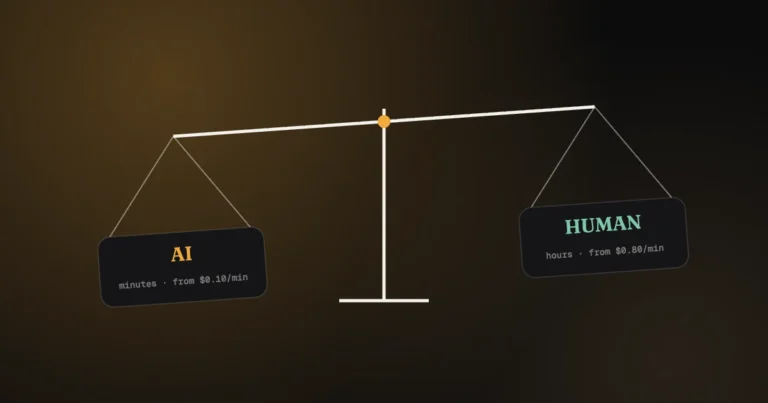
If a recording is full of specialist terms, heavy accents or several people talking at once, the time you spend correcting can exceed the time it would take a trained transcriber. That’s the point to switch to a human-checked podcast transcript, from $0.80 a minute. Our transcribers handle names, pinyin and jargon by ear, and you can send a project from Studio straight to our team.
“Really appreciate the team going the extra mile with the Sinica transcripts, including the Chinese pinyin and all that.”
Kaiser Kuo, Host, Sinica Podcast
Your first hour of transcription in Studio is free, and corrections, editing and exports never use your plan. Sign in at studio.cadrescripts.com with your CadreScripts account, or request access.
- Subtitle converter: move corrected captions between SRT, WebVTT and SBV.
- Caption reading speed checker: check that corrected captions are still comfortable to read.
All free in your browser, with nothing uploaded and no sign-up.
Frequently asked questions
What is custom vocabulary in transcription?
It’s a list of words you give the transcription engine in advance, usually names, brands and jargon, so it recognizes them instead of guessing a more common word.
How many terms should I add?
Only the ones actually spoken in the recording. For a typical interview that’s five to twenty. Long lists of words that never come up don’t help.
Does a vocabulary list guarantee correct spelling?
No. It makes the right word much more likely, but fast speech, crosstalk or a poor line can still produce errors. Plan to check names once after transcribing.
Will correcting a word change my audio?
Not in Studio. Corrections change the transcript and captions you see and export; the recording is never touched.
Can I fix a name everywhere at once?
Yes. In Studio, select the word, press E, enter the right spelling and choose to correct the other times it appears.
Sources, checked 17 November 2026: CadreScripts Studio features from cadrescripts.com/studio; prices from cadrescripts.com/pricing.