Text-Based Audio Editing: How to Edit a Podcast by Editing the Transcript
Text-based audio editing lets you edit a podcast by editing its transcript: cut words, ums and pauses and the audio follows. A step-by-step workflow.
In this article
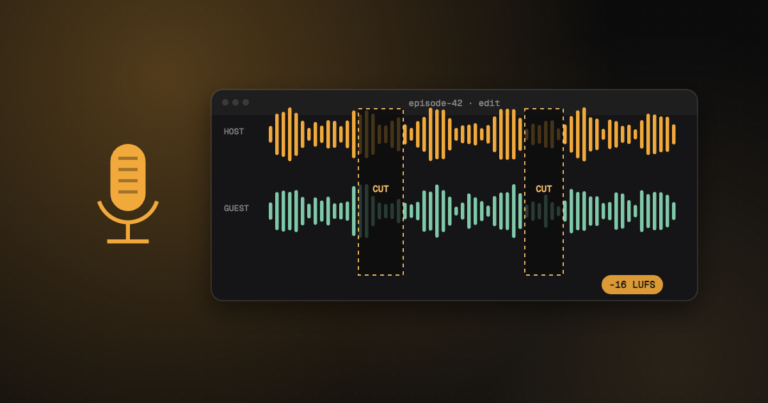
It’s 11 PM. The episode goes live at 9, and you’re staring at a waveform trying to work out which green squiggle is the “um” and which is the guest’s actual point. Here’s the good news: you don’t have to read waveforms any more. With text-based audio editing you read the conversation instead, and you edit it like a document.
Text-based audio editing means editing a recording by editing its transcript. The recording is transcribed with word-level timings, so when you delete a word, a sentence or a long pause from the text, the editor removes that stretch of audio too. It’s fastest for talk shows, interviews and solo episodes, and it still needs your ears for music, crosstalk and the final listen.
How text-based audio editing works
Three things happen behind the scenes, and knowing them saves you from most beginner mistakes.
- Transcription with timings. Every word gets a start and end time. That timing is what links the text to the sound.
- An edit list, not a cut file. Good editors don’t chop your original recording. They keep a list of what to skip and play the original around it, which is why every cut can be undone.
- Smooth joins. When two stretches of audio meet, a short fade stops the cut from clicking. In CadreScripts Studio nothing is re-encoded while you work, so playback after an edit is instant.
The result: deleting “you know, like, basically” takes one keystroke instead of three zoom levels and a steady hand.
Text-based editing vs waveform editing
| Job | Text-based editing | Waveform editing |
|---|---|---|
| Cut a rambling answer | Select the sentences, press Backspace | Find it by ear, mark in and out points |
| Remove ums and repeated words | One Clean up pass, then review | One by one, by ear |
| Find “that bit about pricing” | Search the text | Scrub and listen |
| Fix a breath, a click or a music fade | Not the right tool | Where waveforms shine |
| Mixing, EQ, noise and echo | Not the right tool | A job for an audio editor or engineer |
Most shows use both: text for the content edit, ears for the polish. That split is also how our own podcast editors work.
CadreScripts Studio puts both in one place. Cut by text, then zoom into the waveform when you need finer control: trim an edge a millisecond at a time, hear it before you commit, or silence a breath or a click and let the gap fill with the room’s own tone.
How to edit a podcast by editing the transcript, step by step
Here’s the workflow in CadreScripts Studio, our text-based editor. The steps carry over to any tool that works the same way.
- Drop in the recording. Audio or video straight from your recorder: MP3, WAV, M4A, AAC, OGG, FLAC or WebM. Big files upload in pieces, so a dropped connection costs seconds, not the upload.
- List names and terms first. Before transcribing, type your guests’ names, places and jargon, separated by commas. It’s the cheapest accuracy boost there is (more in our guide to custom vocabulary for transcription).
- Transcribe. Studio shows what the recording will use from your plan before it starts. A one-hour episode comes back in minutes, in any of 100+ languages.
- Do the content edit first. Read it like a script. Select whole answers that go nowhere and press Backspace. Press P to play the edited version and check the joins.
- Run Clean up. It finds ums, repeated words, false starts and long pauses, and shows what each kind of cut saves before you apply anything. Pauses are shortened (to 0.3, 0.5 or 0.8 seconds), never removed, so the conversation keeps breathing.
- Review the risky ones. “Review one by one” lets you hear each cut both ways: original and with the cut. Keep anything that changes meaning or rhythm.
- Correct misheard words. Select a wrong word, press E, type the right one, and fix it everywhere it appears. Your captions and transcript follow; the audio is never touched.
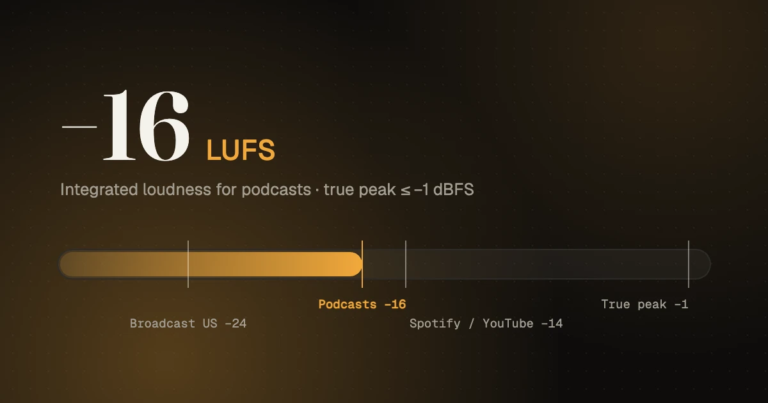
- Polish and export. Polish removes low rumble and sets podcast loudness (−16 LUFS) without clipping. Export WAV, MP3, M4A, AAC, FLAC, OGG or Opus, plus SRT or WebVTT captions and the transcript as heard.
Do the big cuts before Clean up. Removing a five-minute tangent first means you’re not reviewing forty fillers that were going to disappear anyway.
What gets cut, and what shouldn’t
A light edit beats a heavy one almost every time. Listeners forgive an “um”. They notice when every pause is gone and the host sounds like a podcast read by a very caffeinated robot.
- Cut: false starts, repeated words, “can you hear me now?”, long dead air, the answer the guest asked you to drop.
- Shorten: pauses. A thinking pause is part of how people talk. Make it shorter, not zero.
- Keep: laughter, a well-timed “hmm”, and the pause before a punchline.
Studio keeps everything you cut in the text, struck through, so you can restore any of it with R. If a cut sounds wrong later, it’s one key away.
Where text-based editing stops
It’s an editing tool for words. It won’t rescue a recording made in a stairwell, and it won’t mix a four-person panel recorded on one mic. If you hear echo, constant noise, clipping or one voice much louder than another, that’s a job for a person with good headphones. One exception: if each voice was recorded on its own track, Studio takes up to 8 tracks and lets you set each one’s level.
From inside Studio you can press “Send to an editor” and our team starts from your recording, transcript and edits. They quote by email before any work starts, and Pro and Network plans get 10% off. Or skip the DIY entirely with our podcast editing service, from $1.75 a minute.
Your first hour of transcription in CadreScripts Studio is free, and editing, Clean up and exports never use your plan. Already a CadreScripts client? Sign in with the account you have at studio.cadrescripts.com.
What it costs
In Studio, only transcription uses your plan. Editing, corrections, restore points and every export are free and unlimited, with no watermark. After the free first hour, transcription is $0.10 a minute ($72 minimum order) or a monthly plan: Creator from $15 a month for 10 hours, Pro from $24 a month for 30 hours, Network from $55 a month for 75 hours, with unused hours rolling over for one month. The full list is on our pricing page.
- Audio converter: pull the sound out of a video, or turn it into WAV before you edit.
- Audio and video compressor: shrink a huge recording before you upload it.
- Timestamp converter: turn your edited timestamps into YouTube chapters.
All free in your browser, with nothing uploaded and no sign-up.
Frequently asked questions
What is text-based audio editing?
It’s editing a recording by editing its transcript. Each word is linked to its moment in the audio, so deleting text deletes that audio. You work in words instead of waveforms.
Does deleting text damage the original recording?
Not in a well-built editor. Studio keeps your edits in a separate edit list and plays the original around them, so the recording and the transcript never change and every edit can be undone.
Can I edit video podcasts the same way?
Yes. Cut the video by cutting its words, then export the edited video as MP4, MOV or WebM (up to 1080p, or 4K when the recording is above 1080p), or make vertical 9:16 clips of the words you select.
Will removing filler words make my show sound robotic?
Only if you remove all of them and every pause. Shorten pauses instead of deleting them, and review fillers that sit in the middle of a sentence. Our guide to removing “um” and “uh” goes deeper.
Do I need to install anything?
No. Studio runs in your browser. Your edits are saved on your device and in the cloud as you work, with restore points every couple of minutes.
Sources, checked 17 November 2026: CadreScripts Studio features and prices from cadrescripts.com/studio and cadrescripts.com/pricing.