SquadCast vs Riverside for Editors: Which Gives You Better Files?
SquadCast vs Riverside from the editor’s side: WAV quality, sample rates, track sync, video, download limits and SquadCast’s move into Descript.
In this article
Most “SquadCast vs Riverside” comparisons are written for hosts: which one looks nicer, which has the better invite link. This one is for the person who gets the files afterward. Because when a guest’s audio drops out at minute 38, the host shrugs and the editor is the one who has to fix it.
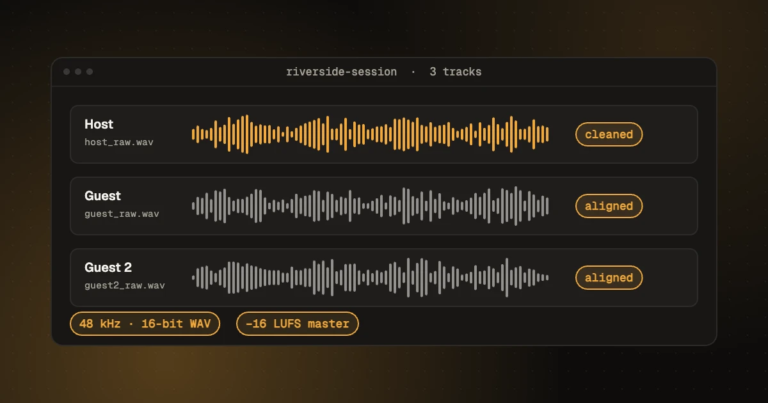
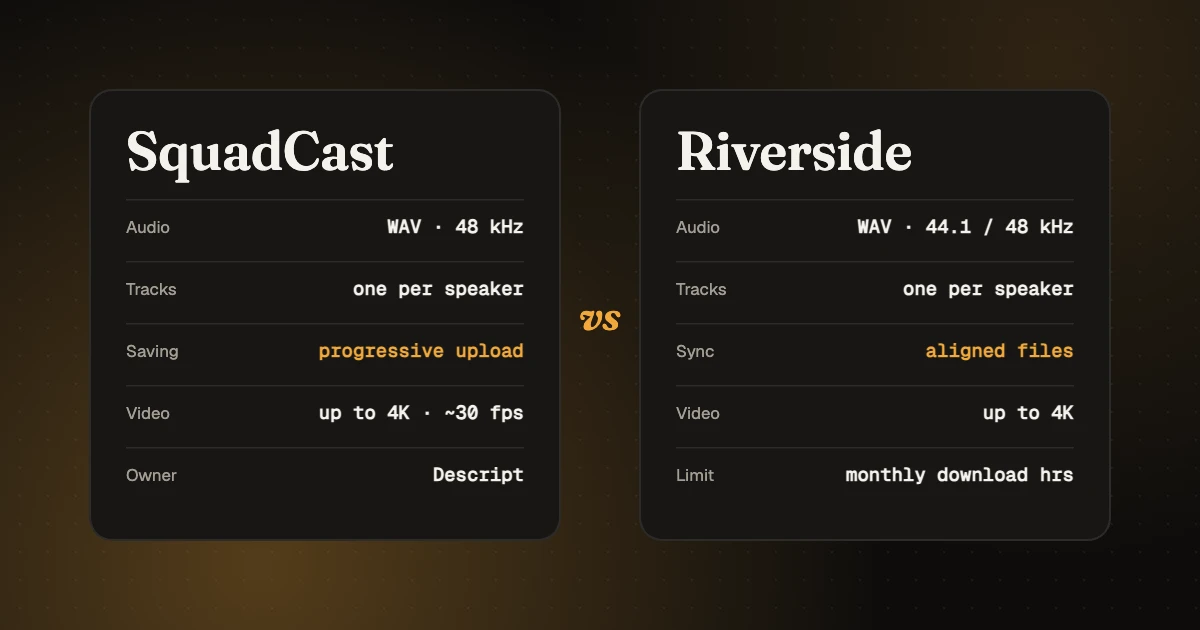
Both record each person locally and give you a separate, uncompressed WAV for every speaker, which is what an editor needs. SquadCast records audio at 48 kHz and auto-saves as it goes, and it’s now part of Descript. Riverside records at 44.1 or 48 kHz (set per studio), offers aligned tracks and an AI-cleaned “Magic Audio” version, and caps how many hours of separate tracks you can download each month. For editing, either works; how the host sets it up matters more than which one they pick.
Checked 10 November 2026. Both products change often, so confirm the details on their own sites before you decide.
First: where SquadCast stands now
SquadCast joined Descript in 2023. Today it’s still sold and supported on its own, with a free trial and its own login. Descript has also launched its own recording feature, Descript Rooms, and says Rooms will eventually replace SquadCast, though no end date has been set and Descript promises plenty of notice. If you’re choosing a platform for a long-running show, keep that in mind; if you’re an editor receiving files, nothing about SquadCast’s output has changed.
What the editor actually receives
| SquadCast | Riverside | |
|---|---|---|
| Recording | Local, on each person’s device | Local, on each person’s device |
| Separate track per speaker | Yes | Yes |
| Audio files | Lossless WAV, 48 kHz | 16-bit WAV, 44.1 or 48 kHz depending on studio settings; 64 kb/s MP3 also offered |
| Saving during the session | Progressive uploads auto-save while recording, plus a cloud backup | Tracks upload during or shortly after the session |
| Lining tracks up | Separate files you line up in your editor | “Aligned” files padded with silence for late joiners (not for mobile or macOS app recordings) |
| Video | 720p, 1080p and 4K (4K was in beta in late 2023), about 30 fps, H.264 MP4 | Up to 4K depending on settings and devices; constant frame rate only for browser recordings |
| AI-processed audio | Not part of SquadCast’s files; Descript has its own clean-up (Studio Sound) | Magic Audio version of each track |
| Download limits | Not stated on its homepage; check your plan | Separate-track downloads count toward monthly download hours (2 hours on a free account) |
| Built-in editing | Descript (same company; SquadCast sells them together) | Riverside’s editor: trim, layouts, export MP4, WAV or MP3 |
Audio quality: a tie, with one setting to check
Both give you uncompressed WAV recorded on the guest’s own machine, so a bad internet connection doesn’t ruin the audio the way it does on a Zoom recording. At that point the microphone, the room and the distance to the mic matter far more than the platform.
The one thing to check on Riverside is the studio’s sample rate. It can be 44.1 or 48 kHz. Neither is wrong, but if your video editor works at 48 kHz and the audio arrives at 44.1, you’ll be converting, and a mismatch between files and project is a classic cause of drift. SquadCast records at 48 kHz only, which is one less thing to ask about.
Ask hosts to send the raw, separate WAVs, never the mixed file and never Riverside’s MP3. Every fix you make later depends on having each voice on its own track. Our guide to editing a Riverside recording shows exactly which buttons to press.
Reliability: SquadCast’s progressive uploads are the selling point
The nightmare for any editor is the guest whose browser crashed and whose half of the conversation is gone. SquadCast’s progressive uploads save the recording continuously while it’s happening, with a cloud backup if the local file isn’t available. Riverside also records locally and uploads during or shortly after the session. On either platform, ask guests to keep the window open until the upload shows as complete; it’s the cheapest insurance in podcasting.
Syncing tracks: Riverside makes it a little easier
Riverside’s aligned files add silence at the start of a late joiner’s track so everything lines up when you drop the files in at zero. That saves a few minutes per episode. The exception: recordings from Riverside’s mobile and macOS apps come without that padding, so you’ll line them up by hand, the same as with any separate files.
If you line tracks up by hand on either platform, find a sharp sound everyone made together and match the waveforms. A few milliseconds off sounds like a faint echo.
Video podcasts: check the frame rate
For video, SquadCast recorded at about 30 fps only, according to a 2023 review, with no 24, 25 or 60 fps option. That’s fine for YouTube, but awkward if the rest of the show is shot at 25 fps for a European broadcaster. Riverside records up to 4K depending on the guest’s camera and settings, and gives a constant frame rate only for browser recordings, which matters because variable frame rate footage can slip out of sync in some video editors.
The editor’s verdict
If the host already uses Descript, SquadCast keeps everything in one place, records at 48 kHz without anyone touching a setting, and its progressive uploads protect against the lost-guest disaster. Just know that Descript plans to move it into Rooms eventually.
If the host wants AI-cleaned audio, aligned files and a lot of video options, Riverside is the safer bet. Ask them to set the studio to 48 kHz, keep an eye on the monthly download hours, and send raw WAVs.
Honestly? Either platform gives you good material. A guest with earbuds in a tiled kitchen will sound worse on both than a guest with a decent USB mic in a bedroom on either.
Whatever your show records on, our editors can take the separate tracks and send back a finished, mastered episode. See podcast editing or pricing.
- Audio converter: pull the audio out of a recorded video or convert WAV to AAC.
- Audio and video cutter: trim recordings without losing quality.
All free in your browser, with nothing uploaded and no sign-up.
FAQ
Is SquadCast shutting down?
Not yet. Descript says Rooms will eventually replace SquadCast, but it hasn’t set a date and says it will give plenty of notice. SquadCast is still available on its own.
Which has better audio, SquadCast or Riverside?
Both record uncompressed WAV locally on each person’s device, so the audio is comparable. SquadCast records at 48 kHz; Riverside records at 44.1 or 48 kHz depending on the studio settings.
Can I get separate tracks from both?
Yes. Both give one file per participant. On Riverside, separate-track downloads count toward your plan’s monthly download hours.
Do I need Descript to use SquadCast recordings?
No. The WAV files open in any audio editor. Descript, from the same company, is there if you want to edit by transcript.
Sources, checked 10 November 2026: Descript, Descript Rooms FAQ; SquadCast; ProVideo Coalition, SquadCast upgrades to 48 kHz (November 2023); Riverside Help Center, About high-quality tracks, download hours and About edits and clips.